Distributor vs Wholesaler vs Reseller
Understand channel roles, identify unanswered supplier questions, and gather evidence for an electronics offer without treating a title as authorization.
Read the guide → Electronic Seek
Understand distributor, wholesaler and reseller roles, then verify evidence for an electronics supplier and proposed order.
Start with the channel-role guide if you need to understand who is offering the goods. Use supplier verification when you need to investigate the evidence behind an actual offer. A channel label does not automatically establish authorization, stock ownership or warranty responsibility.
Understand channel roles, identify unanswered supplier questions, and gather evidence for an electronics offer without treating a title as authorization.
Read the guide →Prepare an evidence record, compare supporting documents and keep unresolved supplier questions visible.
Read the guide →Each detailed page includes official references, a source-check date and openly licensed photographs with individual credits.
Read the methodology before applying an example to a particular transaction. You can also browse the procurement guide library and worksheets, brand profiles, product categories or sourcing guides.
A search for electronics suppliers returns many kinds of seller, from brand owners to marketplace storefronts. This directory does not list or rank suppliers. It helps you sort candidates by type, record where each lead came from and decide which evidence to request first. What each channel label usually means is explained in Distributor vs Wholesaler vs Reseller, and semiconductor franchise traceability (ECIA / SAE AS6496 vs. open-market brokers) is detailed in Authorized Distributors vs. Component Brokers.
Scroll horizontally to see all columns.
| Supplier type | Where a lead can start | First evidence to record |
|---|---|---|
| Brand owner or manufacturer | The brand’s own website or an independently found contact | Which entity sells to buyers like you, or which channel the brand refers you to |
| Authorized distributor | A distributor locator on the brand’s own website, or the brand’s confirmation | The brand, product line, territory and period the authorization covers |
| Independent distributor or broker | Trade directories, marketplaces or referrals, as leads only | Who owns the stock and who owes the remedy for this offer |
| Wholesaler | Trade directories, marketplaces or referrals, as leads only | Source of the goods, condition and fulfillment responsibility |
| Online storefront or marketplace seller | A listing or website | The legal seller behind the listing, separate from the platform operator |
A type is a starting hypothesis, not a finding. A company can use different labels for different product lines, and any label still needs evidence for the exact offer.
A ready-made electronic suppliers list is at best a set of leads. It rarely shows how, or whether, each entry was checked for your product, territory and order size. Build your own shortlist so every candidate carries its source and its open questions:
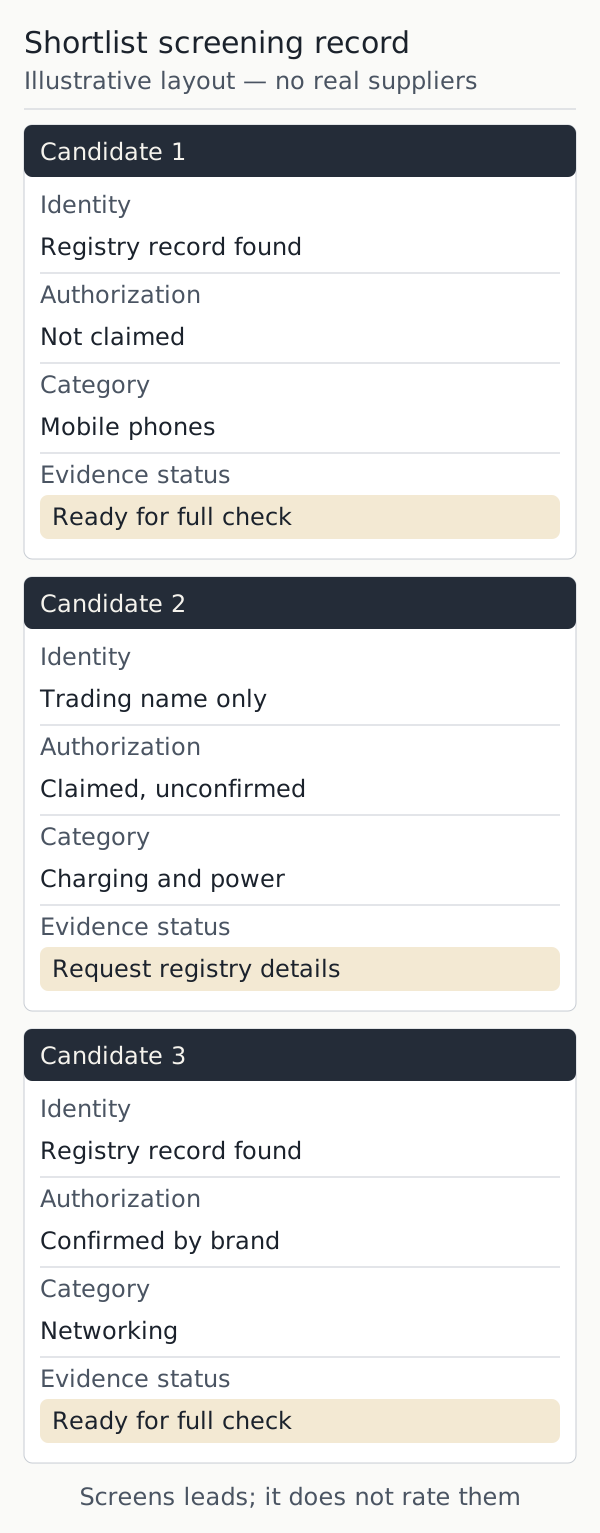
Keep one row per legal entity and four core fields, then add the lead source and the next action. The rows below are an illustrative layout with no real suppliers; download the blank shortlist screening record to use it.
Scroll horizontally to see all columns.
| Candidate | Identity | Authorization | Category | Evidence status |
|---|---|---|---|---|
| Candidate 1 | Registry record found | Not claimed | Mobile phones | Ready for full check |
| Candidate 2 | Trading name only | Claimed, unconfirmed | Charging and power | Request registry details |
| Candidate 3 | Registry record found | Confirmed by brand | Networking | Ready for full check |
The record screens leads; it does not rate them. “Ready for full check” means only that the first questions have answers worth verifying. Take each shortlisted candidate to How to Verify an Electronics Supplier for the identity, authorization, stock, payment and remedy checks, and compare quotes only after that, using the total-cost guide. The guide library lists the other worksheets.