
Compare Electronics Specs & Models
Compare exact electronics models with a requirements matrix covering identifiers, regional versions, test conditions, accessories and unresolved claims.
AI-assisted source check; independent human review not recorded. How this guide was prepared
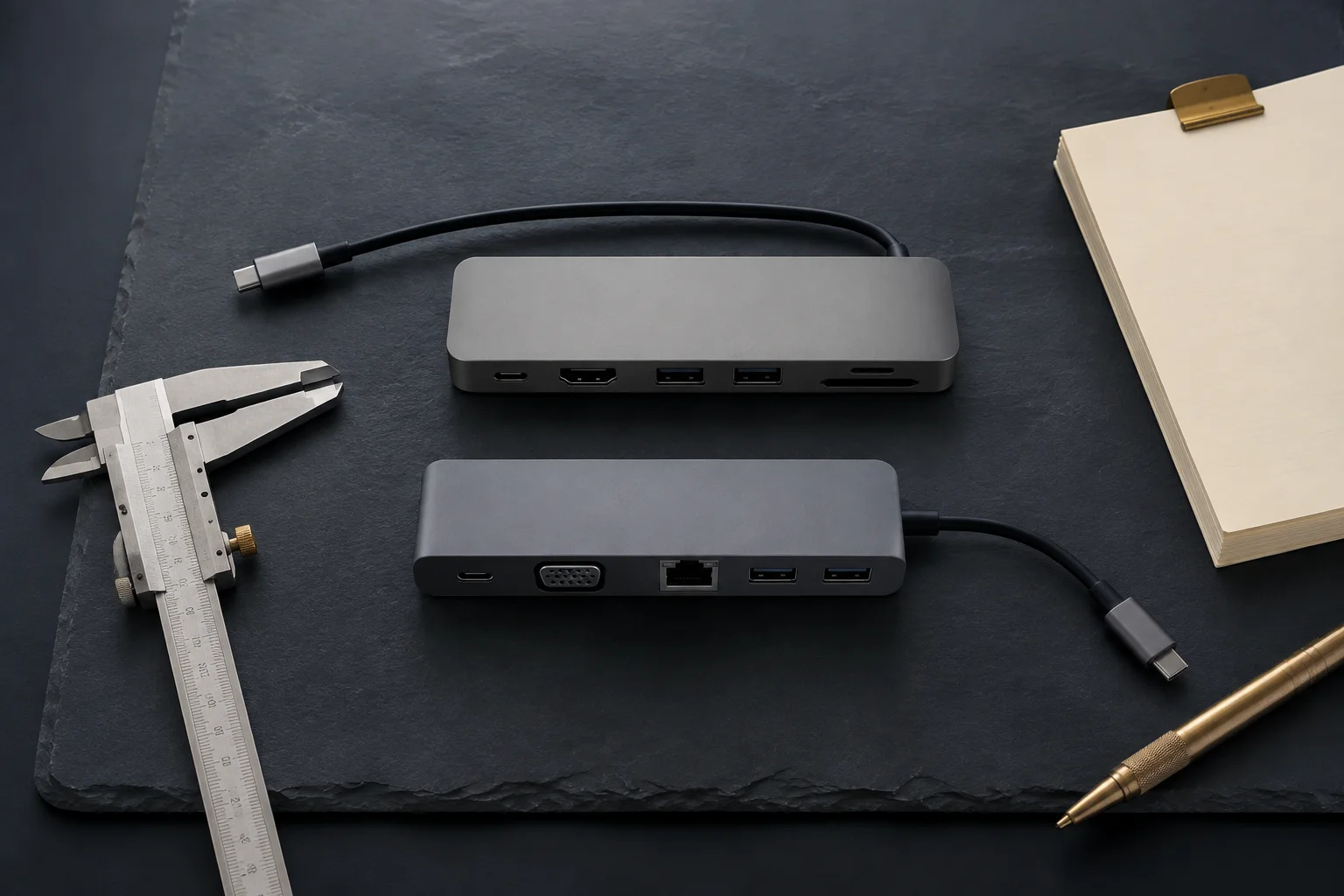
To compare electronics specifications, first identify the exact model and regional version behind each offer. Set the requirements that a product must meet, then compare values under equivalent test conditions. Keep unverified claims visible. Similar marketing names, connector shapes or headline specifications do not establish that two devices are interchangeable.
This guide helps buyers turn a quotation into an evidence-backed comparison. It focuses on product identity and purchase requirements, rather than reviewing which brand is best. Start with the downloadable specification worksheet, and use the supplier verification guide when the evidence itself is uncertain.
Begin with a use case that can be tested
Write one sentence describing the work the device must perform. For example: “These phones must accept our intended carrier’s service, run our ordering application, and arrive with the accessories and service arrangement stated in the purchase order.” Convert that sentence into measurable conditions before comparing prices.
Divide the conditions into required, preferred and informational fields. A required field can disqualify an offer. A preferred field helps choose between suitable offers. An informational field describes the product without deciding the purchase. Storage capacity might be required for an application, while a particular color may be preferred.
Avoid scoring all specifications together too early. A large battery or lower price cannot compensate for an unconfirmed requirement to use a particular network or application. Resolve mandatory fields before applying any preference score.
Keep model numbers, part numbers and unit identifiers separate
Record identifiers exactly as shown, including punctuation and suffixes. Do not shorten a supplier’s code to make two offers appear to match. Use a separate column for normalized search text if needed, while retaining the original label.
Scroll horizontally to see all columns.
| Identifier | What to record | Comparison mistake to avoid |
|---|---|---|
| Marketing name | Consumer-facing product or series name | Assuming every region uses identical hardware |
| Manufacturer model number | Complete code from official documentation or device | Removing a suffix before checking its meaning |
| Manufacturer part number | Exact orderable configuration when supplied | Treating every manufacturer’s naming system as identical |
| Seller SKU | Seller’s internal stock reference | Assuming another seller uses the same code |
| GTIN / EAN / UPC | Barcode identifier and its matching product record | Treating a code match as physical authentication |
| Serial number / IMEI | Unit identifier where applicable, stored privately | Treating a single unit’s lookup result as proof for a whole lot |
Manufacturer labels can be confusing. Apple explains that in Settings → General → About, the value beside Model Number initially shows the part number; tapping it reveals the model number. That makes a precise screenshot request more useful than asking vaguely for “the product number.” See Apple’s model-number instructions.
This Apple example is a documented device-specific workflow, not a universal rule for every electronics brand. For other brands, locate the corresponding official support instructions before interpreting the code.
Check each wholesale catalog entry before comparing it
A wholesale electronics catalog line is a seller’s description, not yet a comparable offer. Before a catalog entry goes into the requirements matrix, map it to one exact model, regional version, configuration, condition and accessory set. If a field cannot be mapped, the line stays out of the comparison until the seller supplies the missing evidence.
Copy the catalog line exactly as published, including its title, seller SKU and the catalog date or version. Then check the fields one at a time against the manufacturer’s documentation for the same complete model code. Compare against the official or retail listing for that model code, not a listing that merely shares the marketing name.
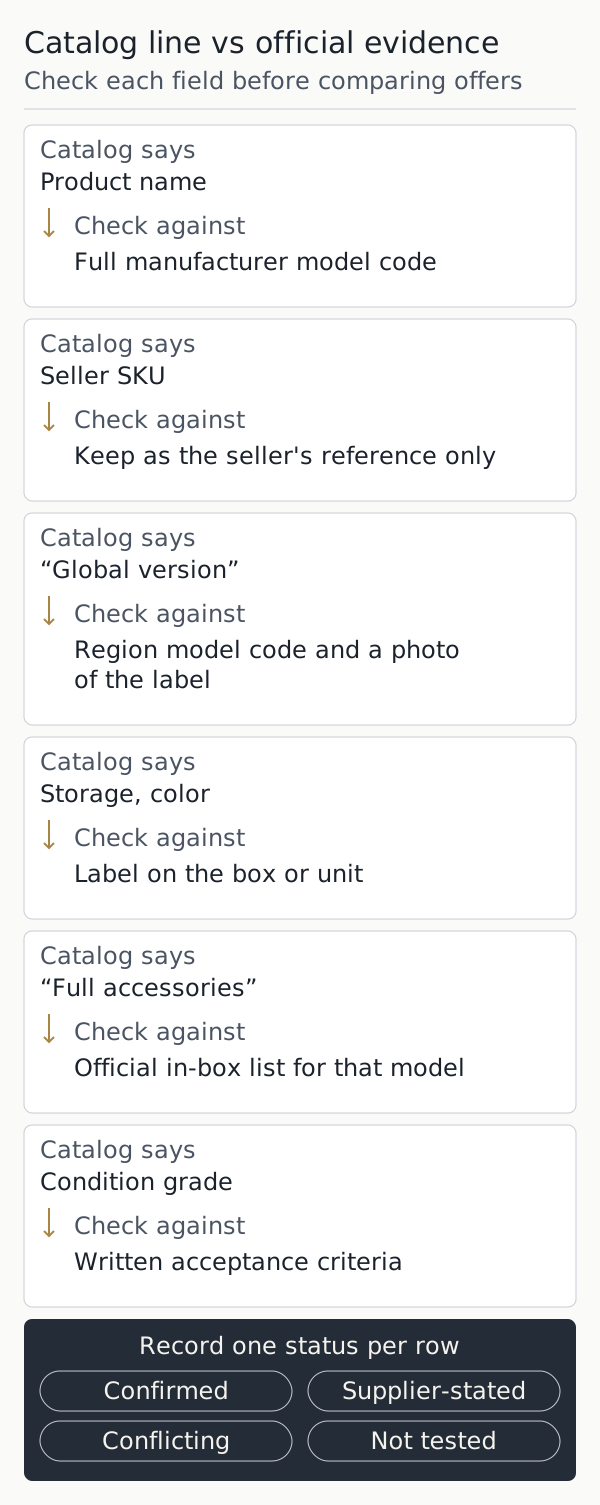
Scroll horizontally to see all columns.
| Catalog says | Check against | Keep on hold if |
|---|---|---|
| Product name | Full manufacturer model code | Only a marketing or series name is available |
| Seller SKU | Keep as the seller’s reference only | The SKU is the only identifier supplied |
| “Global version” | Region model code and a photo of the label | The region cannot be tied to the exact code |
| Storage, color | Label on the box or unit | The label and the catalog line differ |
| “Full accessories” | Official in-box list for that model | The bundle is not itemized |
| Condition grade | Written acceptance criteria | The grade has no observable definition |
Mark each row confirmed, supplier-stated, conflicting or not tested, using the same statuses as the matrix below. A catalog’s stock quantity or availability is a separate supplier claim; check it with the supplier verification guide rather than in this specification pass.
When the catalog and the manufacturer’s documentation disagree, the catalog line does not change what the manufacturer documents for that model code. Either the code is wrong, the description is wrong, or the unit is a different variant. Keep both records, ask the seller which of the three applies, and request label-level evidence for the units actually offered. If you resell in the USA or another specific market, check the description against the manufacturer’s documentation for that market.
Once a line passes these checks and is chosen, the remaining steps belong to the order itself. Use the first-order risk checklist for freezing the agreed model list, payment release, shipment inspection and receiving; this guide does not repeat that process.
Build a requirements matrix with an evidence column
Use one row per purchasing requirement and one column per exact offer. Record the source, its date and the status of each claim. The following example is hypothetical; it does not describe a real phone or supplier.
Scroll horizontally to see all columns.
| Requirement | Offer A | Offer B | Decision or missing evidence |
|---|---|---|---|
| Full regional model code | Complete code supplied | Marketing name only | Hold B until identified |
| Storage configuration | 256 GB confirmed on label | 256 GB in quotation | Request matching label for B |
| Intended carrier service | Compatibility checked for specified carrier | “Global version” stated | Global is insufficient evidence |
| Required application | Sample tested on recorded software build | Not tested | Test B before approval |
| Included accessories | Cable listed; adapter excluded | Bundle unspecified | Reprice after bundle confirmation |
| Service arrangement | Seller return route documented | “International warranty” | Identify provider and territory |
Use “confirmed,” “supplier-stated,” “not tested,” and “conflicting” as distinct statuses. An empty cell can be overlooked; an explicit unresolved status gives someone a task. Add a responsible person and a deadline for required fields.
The worksheet is deliberately a blank template. It does not scrape specifications or certify compatibility. Save the source page or document reference with the date you compared it, so that a later product-page change does not erase the basis of the decision.
Check regional differences one dimension at a time
Regional comparison should cover the relevant hardware, network support, software, packaging and service conditions. Do not infer all five from a single country suffix. Ask the supplier which differences have been confirmed for the exact unit and which are assumptions based on the product family.
For phones, separate physical SIM or eSIM support from carrier unlocking and activation eligibility. Apple documents a specific check for carrier lock: the About screen displays “No SIM restrictions” when the iPhone is unlocked. This is a carrier-lock check, not evidence of every other compatibility or ownership condition. See Apple’s carrier-unlocking guidance.
For your intended market, record the carrier’s current compatibility requirements and, where necessary, test a sample with the planned service. Keep the exact model, software version and test date in the record. A test performed on a different regional variant does not close the original question.
For accessories and mains-powered devices, record the included plug or adapter, marked input requirements and the destination documentation you need. This guide does not attempt to replace product-specific electrical or regulatory assessment. Its job is to make those unresolved requirements visible before an order is approved.
Separate connector shape from supported functions
A connector label alone is an incomplete specification. USB-IF’s USB Type-C language and packaging guidance distinguishes the USB-C connector from capabilities such as USB data performance and USB Power Delivery. Do not assume that two products with USB-C support the same transfer speed or charging functions.
In a procurement comparison, record the claimed data rate, required power behavior and supporting documentation as separate fields. Ask which cable and host configuration the claim assumes. If an application requires transferring files, a successful charging test does not establish the transfer requirement.
Keep this at the level of evidence collection. Detailed charging-protocol selection is a separate technical task; adding unrelated explanations to every comparison would obscure the purchasing decision.
Normalize measurements and test conditions
Before ranking two numerical values, check that they describe the same measurement. Battery runtime depends on workload and settings; a quoted maximum is not directly comparable with a measured result under your application. Record whether a value is a manufacturer claim, supplier claim or observation from your own test.
Use consistent units and include the operating conditions that affect interpretation. For a data-rate example, distinguish bits per second from bytes per second and label a theoretical interface maximum separately from an observed file-transfer result. Do not silently convert a marketing number into a guaranteed workload outcome.
For a reproducible sample check, record:
- The exact device identifier and software build.
- The application or task being performed.
- Relevant settings, network, host and accessories.
- The measurement method and duration.
- The acceptance condition decided before testing.
- Any interruption, failure or condition that limits the result.
If you have not conducted a test, leave the field as untested. A fabricated benchmark would make the comparison less reliable than an honest gap.
Compare the delivered package and the remedy
Two suitable devices may still represent different offers. Record accessories, packaging, manuals, configuration work and the supplier’s remedy for an incorrect model. Specify whether the goods are new, used, refurbished or otherwise described, and translate ambiguous condition labels into observable acceptance criteria.
Move the cost of missing accessories, additional testing and a different return route into the total-order-cost worksheet. Keep that calculation separate from the specification pass/fail decision. A low total cost does not make an unsuitable model suitable.
Once a model is selected, attach the approved matrix to the order and control substitutions. If the seller offers a different suffix or batch, reopen the affected rows instead of accepting “equivalent” without evidence. The first-order checklist carries these requirements into payment, shipment and receiving checks.
What if two sources disagree?
First compare the exact model, region, document date and software assumptions. A global marketing page and a local support page may describe different configurations. Mark the field as conflicting and ask the manufacturer or supplier to resolve the specific discrepancy.
A barcode can help identify which product record you are comparing, but it does not settle the condition or authenticity of a physical device. GS1’s identity and data-integrity finding explains this limit. Preserve both sources and the final clarification; do not erase the disagreement from the working file.
If the discrepancy concerns a mandatory requirement, keep the offer on hold. If it concerns a preference, the buyer can accept the uncertainty explicitly and record why it does not affect the intended use.
Sources and revision scope
Official Apple, USB-IF and GS1 sources linked above were checked on September 5, 2026, with catalog-entry verification criteria updated on October 6, 2026. They support the identifier and capability distinctions described in the comparison matrix and procurement workflow. Read our editorial methodology or return to the guide library.
Sources checked
Related articles
USB-C charging block wattage and PPS
A USB-C charging block wattage is a PDP rating. Separate it from fixed PD voltages, PPS 20 mV steps, shared ports, cable current, and the Level VI mark.
Read article
Open-Box vs Refurbished Electronics: Grading and Returns
Compare open-box and refurbished electronics by published grades, battery evidence, remaining warranty and return terms, then account for a lot's return loss.
Read article
Which Samsung Charger Do You Need?
Match a Galaxy phone or tablet to Samsung's listed charging modes, then check adapter output, PPS, the cable, and ports in use.
Read article