
Which Samsung Charger Do You Need?
Match a Galaxy phone or tablet to Samsung's listed charging modes, then check adapter output, PPS, the cable, and ports in use.
AI-assisted source check; independent human review not recorded. How this guide was prepared
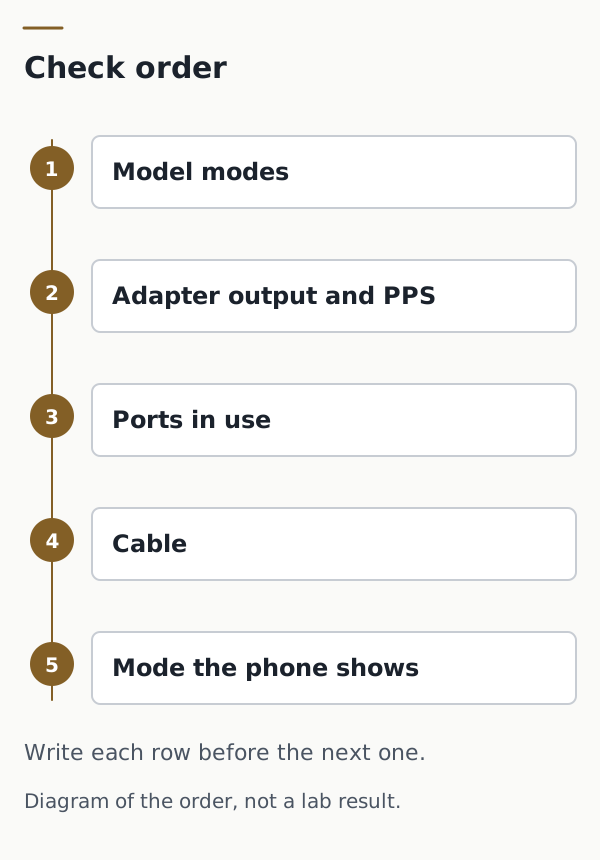
The wrong cable fails a faster Galaxy charging mode even when the adapter’s watt rating looks sufficient. Copy the model’s listed modes, then check the adapter output, PPS support, the cable, and whether more than one port is in use.
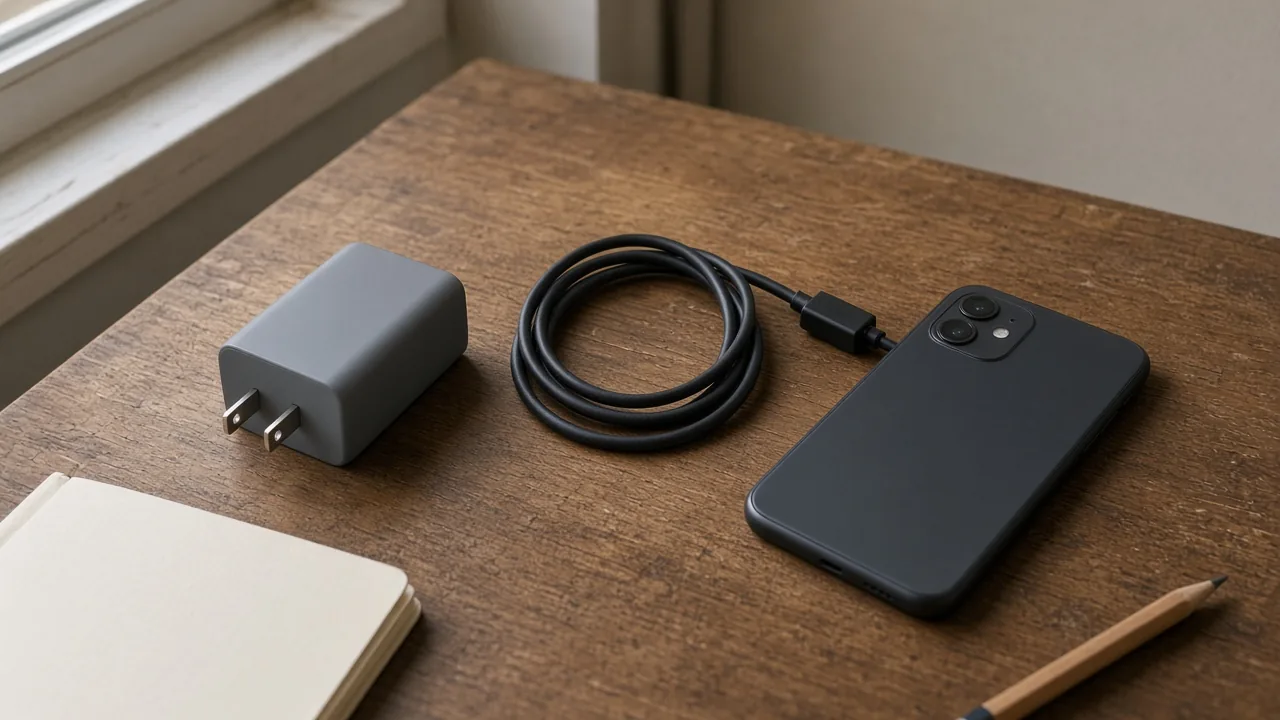
Match the exact Galaxy model to the charging modes Samsung lists for that name, then match the adapter’s published output, PPS ranges, cable, and port use. A higher watt number on a product title does not select the mode. According to Samsung UK support documentation, Super Fast charging with a 25W travel adapter requires a 5–9V/3A supply, and Super Fast charging with a 45W travel adapter is listed only together with a 5A cable. Samsung Singapore support documentation states that Super Fast charging still requires USB PD PPS even when the charger’s maximum output is high. This checklist summarizes those published compatibility rules.
This checklist sits under the charging and power guide, which compares a charger as a documented configuration. Use the Galaxy A, M, and S series guide when the listing names a series and you still need the exact model. Use the specification worksheet method when you copy an official model page, and the supplier evidence guide when a seller listing is the only claim you have. Cable power, data, and display stay on the USB-C cable checklist. This page does not fill those cells.
Scroll horizontally to see all columns.
| Input | What to copy | Why it matters |
|---|---|---|
| Model name | Settings, then About phone or About tablet, on the path Samsung US describes | A series name is not the row |
| Listed modes | Samsung UK published compatibility marks for that model name | Separates normal, fast, super fast, and super fast 2.0 |
| Adapter output | PDO and PPS lines Samsung Singapore lists for the printed model code | A watt title does not state the voltage and current ranges |
| Ports in use | Samsung Singapore: Super Fast Charging 2.0 on EP-T5020 and EP-T6530 only on port 1, and not when two or more ports are connected | Those two chargers leave that mode when another port is connected |
| Cable | The cable Samsung pairs with that output, including the 5A cable with a 45W travel adapter on the UK page | The adapter rating alone does not name the cable |
| On-device mode | The charging toggle the phone shows for this connection | The phone, not the box title, shows which mode it accepted |
Download the charger compatibility checklist to record your verification results.
Which modes does Samsung UK mark for that model name?
Record the model name before you record a watt number. Samsung US says the name and model number appear under Settings, then About phone or About tablet. Samsung UK then marks four wired modes and two wireless modes for the names in its table. A check mark below is copied as Yes. An X is copied as No. Both marks come from Samsung UK’s published compatibility table. They are not a US warranty statement and not the result of plugging in a charger.
Samsung UK defines the wired modes on that page. Normal charging uses basic USB power at 5V and 1–2A, up to 10W. Fast charging has a supply of 5–9V/2.0A. Super Fast charging with a 25W travel adapter has a supply of 5–9V/3A. Super Fast charging with a 45W travel adapter is possible only with that 45W adapter and a 5A cable. Super Fast 2.0 requires a USB Power Delivery 3.0 device that supports Direct Charging. Samsung UK says a device without that support charges slower.
The exact name changes the row. Samsung UK marks Super Fast 2.0 for the S25 Ultra and the S25+, and does not mark it for the S25 or the S25 Edge. It marks Super Fast for the A15 and does not mark Super Fast for the A14 or the A14 5G. If your model name is not in the table, verify the supported modes directly on the regional device specification sheet.
Takeaway: Use the exact model name on the UK table. Do not copy a neighboring model’s Super Fast 2.0 mark.
Scroll horizontally to see all columns.
| Family | Model | Wired normal | Wired fast | Wired super fast | Wired super fast 2.0 | Wireless normal | Wireless fast |
|---|---|---|---|---|---|---|---|
| Galaxy Z | Z Fold6 | Yes | Yes | Yes | No | Yes | Yes |
| Galaxy Z | Z Fold5 | Yes | Yes | Yes | No | Yes | Yes |
| Galaxy Z | Z Flip6 | Yes | Yes | Yes | No | Yes | Yes |
| Galaxy Z | Z Flip5 | Yes | Yes | Yes | No | Yes | Yes |
| Galaxy S | S25 Edge | Yes | Yes | Yes | No | Yes | Yes |
| Galaxy S | S25 Ultra | Yes | Yes | Yes | Yes | Yes | Yes |
| Galaxy S | S25+ | Yes | Yes | Yes | Yes | Yes | Yes |
| Galaxy S | S25 | Yes | Yes | Yes | No | Yes | Yes |
| Galaxy S | S24 Ultra | Yes | Yes | Yes | Yes | Yes | Yes |
| Galaxy S | S24+ | Yes | Yes | Yes | Yes | Yes | Yes |
| Galaxy S | S24 | Yes | Yes | Yes | No | Yes | Yes |
| Galaxy S | S24 FE | Yes | Yes | Yes | No | Yes | Yes |
| Galaxy S | S23 Ultra | Yes | Yes | Yes | Yes | Yes | Yes |
| Galaxy S | S23+ | Yes | Yes | Yes | Yes | Yes | Yes |
| Galaxy S | S23 | Yes | Yes | Yes | No | Yes | Yes |
| Galaxy S | S23 FE | Yes | Yes | Yes | No | Yes | Yes |
| Galaxy A | A56 5G | Yes | Yes | Yes | Yes | No | No |
| Galaxy A | A55 5G | Yes | Yes | Yes | No | No | No |
| Galaxy A | A54 5G | Yes | Yes | Yes | No | No | No |
| Galaxy A | A36 5G | Yes | Yes | Yes | Yes | No | No |
| Galaxy A | A35 5G | Yes | Yes | Yes | No | No | No |
| Galaxy A | A34 5G | Yes | Yes | Yes | No | No | No |
| Galaxy A | A26 5G | Yes | Yes | Yes | No | No | No |
| Galaxy A | A25 5G | Yes | Yes | Yes | No | No | No |
| Galaxy A | A24 | Yes | Yes | Yes | No | No | No |
| Galaxy A | A16 5G | Yes | Yes | Yes | No | No | No |
| Galaxy A | A16 | Yes | Yes | Yes | No | No | No |
| Galaxy A | A15 5G | Yes | Yes | Yes | No | No | No |
| Galaxy A | A15 | Yes | Yes | Yes | No | No | No |
| Galaxy A | A14 5G | Yes | Yes | No | No | No | No |
| Galaxy A | A14 | Yes | Yes | No | No | No | No |
| Galaxy A | A06 5G | Yes | Yes | Yes | No | No | No |
| Galaxy A | A06 | Yes | Yes | Yes | No | No | No |
| Galaxy A | A05S | Yes | Yes | Yes | No | No | No |
| Galaxy A | A05 | Yes | Yes | Yes | No | No | No |
| Galaxy Tab S | Tab S10 FE+ | Yes | Yes | Yes | Yes | No | No |
| Galaxy Tab S | Tab S10 FE | Yes | Yes | Yes | Yes | No | No |
| Galaxy Tab S | Tab S10 Ultra | Yes | Yes | Yes | Yes | No | No |
| Galaxy Tab S | Tab S10+ | Yes | Yes | Yes | Yes | No | No |
| Galaxy Tab S | Tab S9 FE+ | Yes | Yes | Yes | Yes | No | No |
| Galaxy Tab S | Tab S9 FE | Yes | Yes | Yes | Yes | No | No |
| Galaxy Tab S | Tab S9 Ultra | Yes | Yes | Yes | Yes | No | No |
| Galaxy Tab S | Tab S9+ | Yes | Yes | Yes | Yes | No | No |
| Galaxy Tab S | Tab S9 | Yes | Yes | Yes | Yes | No | No |
| Galaxy Tab S | Tab S6 Lite | Yes | Yes | No | No | No | No |
| Galaxy Tab S | Tab Active5 | Yes | Yes | No | No | No | No |
| Galaxy Tab A | Tab A9+ | Yes | Yes | No | No | No | No |
| Galaxy Tab A | Tab A9 | Yes | Yes | No | No | No | No |
| Other | XCover 7 | Yes | Yes | No | No | No | No |
| Other | M55 5G | Yes | Yes | Yes | No | No | No |
The wireless columns are on the same UK page. This checklist does not choose a wireless pad. A Yes in a wireless column is only Samsung UK’s mark for that name.
Which connector does Samsung’s US page assign?
The mode table does not say which plug the phone uses. Samsung US support documentation states that Samsung has used USB-C chargers since 2017, starting with the Galaxy S8 and Note8. It says the latest Galaxy phones and tablets are compatible with USB-C chargers, including a standard Fast charger or a Super Fast charger, and that current in-box items include a USB-C cable while the wall charger is sold separately. It also says a Galaxy device can charge from any Samsung travel adapter, and that charging speeds vary by the charger. Samsung advises using original Samsung travel adapters and USB cables, noting that third-party chargers can invalidate the warranty and cause damage.
Samsung US names these past phones as having included a Superfast charger in the box: Note20 series, S20 series, Note10 series, Z Fold2, Z Fold3, and Z TriFold. It says those models can also be used with a standard 15W charger. It names these as having included an Adaptive fast charger: Z Fold and Z Flip series phones, S10 series phones, Note9 and Note8 series phones, S9 and S8 series phones, and A70, A50, A51, A52 5G, A42 5G, A32 5G, A13, A12, and A02s. “Series” is Samsung’s word. This page does not expand it to a model Samsung did not name.
The USB Type-C names on that US page are the connector list, not the UK mode marks. A phone can be on the USB-C list and still have Super Fast 2.0 marked No on the UK table. The S25 is one of those names.
Scroll horizontally to see all columns.
| Family | Names Samsung US lists for USB Type-C |
|---|---|
| Galaxy Z phones | Z Fold, Z Fold2, Z Fold3, Z Fold4, Z Fold 5, Z Fold6, Z Fold7, Z Fold8 Ultra, Z Fold8, Z TriFold, Z Flip, Z Flip 5G, Z Flip3 5G, Z Flip4, Z Flip5, Z Flip6, Z Flip7, Z Flip7 FE, and Z Flip8 |
| Galaxy S phones | S8, S8+, S9, S9+, S10e, S10, S10+, S10 5G, S20 FE, S20 5G, S20+ 5G, S20 Ultra 5G, S21 FE 5G, S21 5G, S21+ 5G, S21 Ultra 5G, S22, S22+, S22 Ultra, S23 FE, S23, S23+, S23 Ultra, S24, S24+, S24 Ultra, S24 FE, S25, S25+, S25 Edge, S25 Ultra, S25 FE, S26, S26+, S26 Ultra, and S26 FE |
| Galaxy Note phones | Note8, Note9, Note10, Note10+, Note10+ 5G, Note 20 5G, Note20 Ultra 5G |
| Galaxy A phones | A01, A02, A03s, A10e, A11, A12, A13, A13 5G, A14 5G, A15 5G, A16 5G, A17 5G, A20, A21, A23 5G, A25 5G, A26 5G, A27 5G, A32 5G, A35 5G, A36 5G, A37 5G, A42 5G, A50, A51, A52 5G, A53 5G, A54 5G, A56 5G, A57 5G, and A71 |
| Galaxy XCover phones | Galaxy XCover6 Pro |
| Galaxy S tablets | Tab S3, Tab S4, Tab S5e, Tab S6, Tab S7, TabS7+, Tab S7 FE, Tab S8, Tab S8+, Tab S8 Ultra, Tab S9, Tab S9+, Tab S9 Ultra, Tab S9 FE, Tab S9 FE+, Tab S10+, Tab S10 Ultra, Tab S10 FE, Tab S10 FE+, Tab S10 Lite, Tab S11, Tab S11 Ultra, Tab S12+, and Tab S12 Ultra |
| Galaxy A tablets | Tab A11+, Tab A9+, Tab A 10.1 (2019-2020), Tab A 10.5 (2019), Tab A 8.0 (2016-2019), Tab A 8.4 (2020), Tab A7 (2020), Tab A7 Lite (2021), Tab A 8 (2022) |
Scroll horizontally to see all columns.
| Family | Names Samsung US lists for Micro USB Type B |
|---|---|
| Galaxy S phones | S5, S6, S6 edge, S7, S7 edge |
| Galaxy Note phones | Note5 |
| Galaxy A phones | A6 |
| Galaxy J phones | J3 and J7 (all models) |
| Galaxy S and E tablets | Tab S, Tab S2, Tab E |
| Galaxy A tablets | Tab A 10.1 (2016), Tab A 8.0 (2015), Tab A 7.0, Tab A 9.7 |
Samsung US says a Micro USB Type B plug is not symmetrical and that inserting it the wrong way can damage the port. If the model name is on neither list, verify the physical connector on the handset specification sheet.
For travel, Samsung US says most of its chargers can be used outside the United States and that you should check the charger. It says a Samsung charger printed “TRAVEL ADAPTER” with an input of 100–240 V typically needs only a plug adapter. That sentence is about the printed input. It is not a mode mark.
What output and PPS does the adapter label have to match?
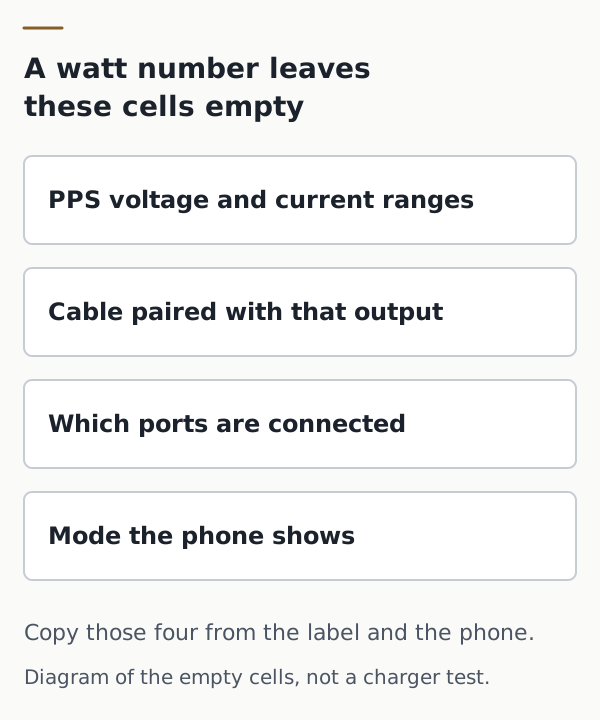
Read the model code on the adapter, then copy the output lines for that code. Samsung Singapore support documentation states that Super Fast charging depends on USB PD PPS as well as the charger’s power output. It says a high maximum output is not enough when the charger does not support PPS. It also says genuine Samsung charger types vary by country, and that model names vary by country. Use the rows below only when the printed code matches; verify any other regional code against its own specification sheet.
The page lists these wired chargers and the maximum output it labels for Super Fast charging. PDO is the fixed output line on that page. PPS is the programmable line.
Scroll horizontally to see all columns.
| Model code | What Samsung Singapore lists | Cable and port condition on that page |
|---|---|---|
| EP-T2510 (25W PD charger) | PDO: 9V / 2.77A. PPS: 3.3–5.9V / 3A, and 3.3–11.0V / 2.25A. Support listed as Super fast charging. | No extra cable line on this row |
| EP-T4511 (45W PD charger) | PDO: 9V, 15V / 3A, 20V / 2.25A. PPS: 5–20V / 2.25A. Support listed as Super fast charging 2.0. | Based on a 45W, 5A cable. For Galaxy S25 and later, SFC 2.0 is supported with the 3A USB cable included with the device. |
| EP-T6010 (60W PD charger) | PDO: 9V, 15V, 20V / 3A. PPS: 5–20V / 3A. Support listed as Super fast charging 3.0. | Based on a 60W, 3A cable. |
| EP-T5020 (50W dual-port PD charger) | USB-C1 PDO: 9V, 15V / 3A, 20V / 2.5A. USB-C1 PPS: 5–20V / 2.5A. USB-C2 PDO: 9V / 2.77A. USB-C2 PPS: 5–11V / 2.25A. Support listed as Super fast charging 2.0. | Based on a 45W, 5A cable. Supported only on port 1. Not supported when two or more ports are connected. For Galaxy S25 and later, SFC 2.0 is supported with the included 3A USB cable. |
| EP-T6530 (65W trio-port PD charger) | USB-C1 PDO: 9V, 15V / 3A, 20V / 3.25A. USB-C1 PPS: 5–11V / 3.5A, 5–16V / 2.8A, and 5–20V / 2.25A. USB-C2 PDO: 9V / 2.77A. USB-C2 PPS: 5–5.9V / 3A and 5–11V / 2.25A. USB-A: 9V / 1.67A. Support listed as Super fast charging 2.0. | Based on a 45W, 5A cable. Supported only on port 1. Not supported when two or more ports are connected. For Galaxy S25 and later, SFC 2.0 is supported with the included 3A USB cable. |
Takeaway: Copy the PPS lines for the printed model code. A watt number does not fill them, and Samsung says the model name can differ by country.
Which cable and port conditions stay with that output?
Keep the cable on the same row as the output. Samsung UK’s Super Fast line for a 45W travel adapter exists only with a 5A cable. Samsung Singapore pairs Super Fast Charging 2.0 on the 45W charger with a 45W, 5A cable, and adds a separate case: for Galaxy S25 and later models, SFC 2.0 is supported when using the 3A USB cable included with the device. The 60W charger’s Super Fast Charging 3.0 line is based on a 60W, 3A cable. On the 50W and 65W chargers, Super Fast Charging 2.0 is supported only on port 1, and not when two or more ports are connected.
Samsung Singapore says cable requirements vary with the charger’s maximum output, and that a cable which misses the required USB charging specification can stop the charger from delivering that output. It recommends a genuine Samsung cable or a cable that meets the required specification. This page does not grade a third-party cable.
Samsung US says USB-C cables differ, that an uncertain cable is most likely 3A or 5A, that both can charge and transfer data, and that a 5A cable is thicker and able to carry more power. Record that only as Samsung’s sentence. Thickness is not a measurement on this page. Power, data, and display for the cable you are buying stay on the USB-C cable checklist.
Takeaway: Write the port count next to the cable. On the 50W and 65W models, a second connected port is outside the Super Fast Charging 2.0 line Samsung Singapore published.
What can the phone confirm after you plug it in?
The last cell is the mode the phone shows, not the mode on the box. Samsung US says to open Settings, then Battery, then Charging settings, and use the switch next to Fast charging or Fast wireless charging. It says only the speeds that device supports appear, and that the device picks the fastest charging from the connected charger and the battery status. For the shortest charging time, it says to use a wall outlet. A computer or another device lengthens the time.
Samsung Singapore says fast charging does not activate on a PC or a standard USB port. On Galaxy S23 series models and later, it says the Fast charging and Super fast charging settings are one Fast charging toggle. It also says the supported Super Fast version varies by charger and Galaxy model, that heat can reduce the speed, and that the maximum current varies with the remaining battery level. The device does not charge at maximum power at all times. Record the on-device charging mode only after connecting the phone and observing the status screen.
When does this checklist not apply?
Verify the model against regional documentation when the model name is missing from the UK table and from both US connector lists. Do not borrow the mark from the nearest name. Do not use this page to rank chargers, to time a charge, or to decide whether a charger is genuine. The label, the order record, and a Samsung reply belong on the charger authenticity evidence table. Do not use the wireless columns to pick a pad. Do not use a successful charge as proof of data or display. Those checks belong on the cable page. A charger code other than EP-T2510, EP-T4511, EP-T6010, EP-T5020, and EP-T6530 has no output line on the Singapore table copied here.
Keep the check fields
Keep the blank checklist with the phone and the adapter. Fill a cell only from the official support specification or from the mode the phone shows. The articles directory holds the other worksheets the same way.
ElectronicSeek does not test the charger, certify the cable, or choose the adapter for you.
Method and sources
The mode marks, the 5V/1–2A definition up to 10W, the 5–9V/2.0A fast-charging line, the 25W and 45W Super Fast lines, and the 5A cable condition are documented in Samsung UK, Which type of charger does my Galaxy device accept?. Yes and No in the mode table correspond to that page’s check mark and X. The page is a UK support article and is not a US warranty document.
The connector lists, the 15W note for the named Superfast-in-box phones, the Adaptive fast in-box list, the USB-C since S8 and Note8 statement, the separate wall-charger statement, the 3A or 5A cable sentence, the 100–240 V travel-adapter line, and the Charging settings path are documented in Samsung US, Wall chargers and charging your Samsung phone or tablet (which also resolves support reference ANS00078994).
The charger model codes, PDO lines, PPS ranges, and the port and cable conditions are documented in Samsung Singapore, How to enable Fast charging and Fast wireless charging on your Samsung Galaxy phone. Samsung notes that charger types and model names vary by country.
Sources checked
Related articles
USB-C charging block wattage and PPS
A USB-C charging block wattage is a PDP rating. Separate it from fixed PD voltages, PPS 20 mV steps, shared ports, cable current, and the Level VI mark.
Read article
Open-Box vs Refurbished Electronics: Grading and Returns
Compare open-box and refurbished electronics by published grades, battery evidence, remaining warranty and return terms, then account for a lot's return loss.
Read article
USB-C Charging vs Data Cables: Check Power and Data Separately
Confirm USB-C power, data, and display separately. A cable that charges is not proof it transfers files. Keep the blank capability record.
Read article