
Electronics Liquidation Manifest Checklist Before Bidding
Check each liquidation manifest row before bidding: the auction's own grade, the evidence for that row, and any stop condition.
AI-assisted source review; no independent human review recorded. How this guide was prepared
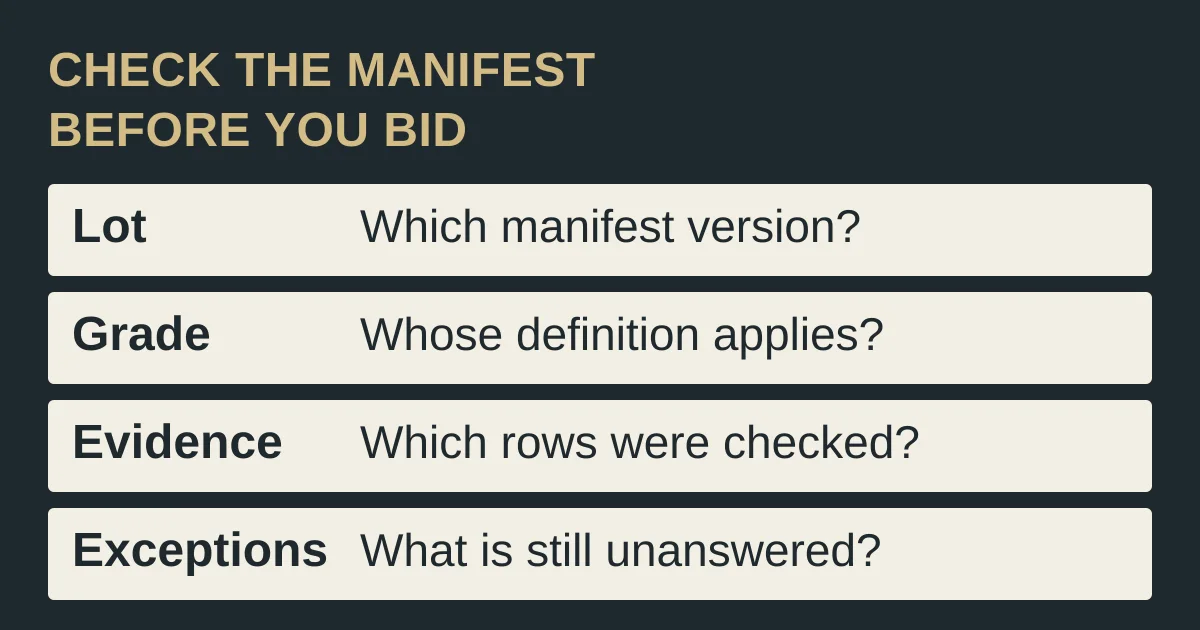
Before bidding on an electronics liquidation pallet, read the manifest one row at a time against the auction’s own condition definition and whatever evidence actually covers that row. A manifest lists what the seller says is offered, and a wrong row cannot be checked against the delivery after you bid. Bid only when each row that matters to you has a confirmed identity, an applicable definition and either supporting evidence or an unknown you have explicitly chosen to accept.
This is a document checklist. We did not inspect a lot, and we are not recommending a marketplace. The condition definitions below are a dated example from one named marketplace, CDW Liquidation Auctions. Other platforms use different terms. Download the blank manifest checklist and fill it with your own lot.
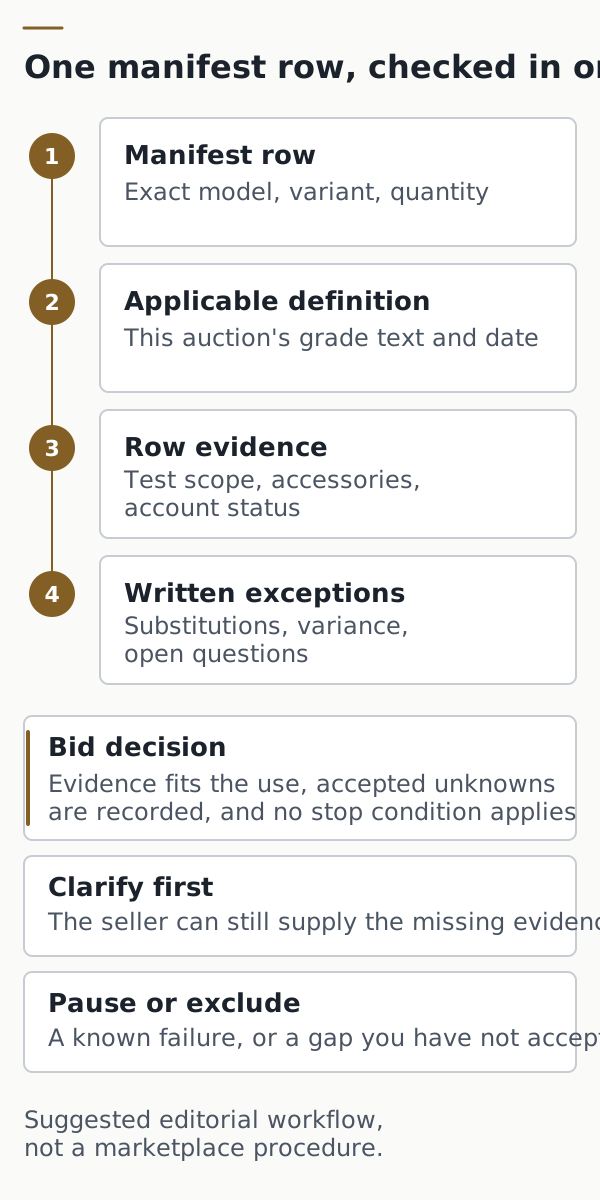
Freeze the lot and manifest version you are bidding on
Start by recording exactly which document you are relying on. A lot description, a downloadable manifest and a later message from the seller can disagree, and a decision made against an unidentified version cannot be checked afterwards.
Scroll horizontally to see all columns.
| Field | What to record | Why it matters |
|---|---|---|
| Marketplace and seller | Platform name and the selling business shown on the listing | Condition terms belong to a specific seller or program |
| Auction or lot ID | The identifier shown on the listing | Connects the manifest, the bid and the delivered goods |
| Manifest file | File name, download date and any version label | Shows which list your decision used |
| Condition definition | URL of the grade definitions and the date you saved them | Definitions can change; record the text you read |
| Rows | Exact model, variant or configuration, and listed quantity for each line | A category name or total unit count cannot be compared with what arrives |
| Corrections | Any seller change to the list, with its date | Keeps the original list and later changes separate |
Treat a vague row such as “assorted tablets” or “laptops, mixed” as unidentified until the seller supplies model-level detail. Use the specification comparison guide to decide whether two model descriptions really refer to the same product, configuration and regional version.
Who sells the lot is a separate question from what the lot contains. The supplier evidence checklist covers checks on the business, and the distributor, wholesaler and reseller guide helps you frame questions when several parties appear on the paperwork.
Takeaway: Save the listing, the manifest file and the definition text with dates before you evaluate a single row.
Read the grade against that auction’s own definition
A condition label means only what the auction’s definition says it means. The same letter can describe untested sealed stock in one place and recently checked goods in another, so read the definition attached to your auction instead of assuming a common scale.
CDW Liquidation Auctions, hosted on bstock.com, shows how much one letter can hide. The following comparison paraphrases its published conditions page as captured on October 11, 2026. It applies to that marketplace only; it is not a general grading standard.
Scroll horizontally to see all columns.
| CDW label | What the definition says about testing | What it does not tell you about your rows |
|---|---|---|
| Grade A | Untested, manufacturer-sealed overstock and customer returns | Whether any unit works; a seal is not a test |
| Grade B | CDW refurbished overstock checked and tested over 90 days ago, functional and complete at that time | The state of each unit today, or which functions were checked |
| Grade C | Overstock and returned CDW refurbished product, untested; may be functional, defective, damaged or incomplete | The share of units in any condition |
| Grade C/D | Open-box returns, some tested and some untested; gives a functional-inventory guideline it says is not guaranteed | Which units were tested; the guideline is not a forecast for your lot |
| Grade D | Tested and found incomplete, defective, out of warranty or slightly damaged; custom servers, blades and networking devices are untested | Which rows fall under the untested exception |
| Salvage TVs | Cracked screens; other functions untested unless the manifest marks a unit as CDW Tested | Which rows carry that manifest flag |
Two details in this example are worth copying into your own record. First, “tested” can carry a date and an exception, so record both. Second, the definition page itself states that its lots contain a high percentage of non-working and damaged items. That is the marketplace’s own general description; it gives no rate for your lot, and you should not invent one.
The refurbished offer guide explains how to question grade labels in a single-seller refurbished offer. For a liquidation lot, the narrower task is to attach the correct definition to each manifest row.
Takeaway: For every row, write down the applicable definition, whether it says tested or untested, the test date if any and any named exception.
Match test, accessory and account evidence to each row
Evidence counts only for the rows and units it names. A seller statement that a lot was “inspected” or “sometimes tested” does not show which units were checked, which functions were covered or when.
For each row, record:
- Test scope: the functions checked, the date and whether the result covers every unit in the row or a sample.
- Photos: which rows and units the pictures show. A photo can establish appearance and identity for the pictured items, but not function, and not anything about rows that were not photographed.
- Accessories: chargers, cables, remotes or stands the item needs. CDW’s page says original packaging and accessories may or may not be included, so do not infer them from the grade or the model name.
- Account and setup status: whether the seller has stated anything about locks or erasure, and what remains unknown.
Account locks deserve their own field. Immediately after its Grade D definition, CDW’s page warns that laptops, Chromebooks, iPads and tablets may still be locked to personal accounts, citing BIOS passwords, Apple iCloud and Google Account locks as examples. For iPhones, Apple’s guidance on buying a preowned iPhone says not to buy one with Activation Lock enabled. Apple also explains that an erased iPhone showing the Hello screen cannot be tested until it is set up, including activation. Being erased, being testable and being free of an owner lock are three separate observations.
Scroll horizontally to see all columns.
| Document | What it can show | What it does not show |
|---|---|---|
| Manifest row | What the seller lists | That the unit works |
| Grade label | The auction’s stated definition | A current test of your unit |
| Photos | The pictured items’ appearance | Function, or rows that were not pictured |
| Test record | Named checks on named units, with a date | Units the record does not name |
| Seller reply | The answer for the rows it covers | A change to the written terms |
Category guides can help you decide which functions and dependencies matter: see our mobile-phone research, networking and communications research and charging and power research. None of them replaces evidence for the units in your lot.
Common mistake: Treating a photo of a few units, or one test sheet, as evidence for the whole pallet. Record exactly which rows and units each document covers.
Takeaway: Leave an evidence field blank and marked unknown rather than filling it from the grade, the brand or the price.
Ask about substitutions and exceptions in writing
Before bidding, find out what the seller’s terms allow to change after the sale. Terms of sale may allow substitutions or quantity variations against the manifest, as in the example below, and those terms affect how far you can rely on the list.
CDW’s conditions page is again a useful example. It says items may be substituted on the manifest while keeping the same value and unit count, allows up to a 5% quantity variance per order, and asks buyers to report larger quantity discrepancies in writing within 7 days after delivery. It also describes the goods as sold “as is,” with the seller warranting title and disclaiming other warranties. These are statements on that page, read on October 11, 2026. They are not legal advice, a finding about how the terms would be enforced, or a description of any other platform’s terms.
For your own auction, ask specific questions in writing and keep the answers:
- Do substitutions apply to this lot, and on what basis?
- What quantity variance applies, and how and by when must a discrepancy be reported?
- Which rows, if any, have test results, and can the seller share them?
- Are any devices known to be locked to an account, and how will that be disclosed?
Record each answer with its date and the rows it covers. A written reply clarifies what the seller has told you; it does not by itself change the terms of sale.
Takeaway: Write down the question, the answer, the date, the rows covered and what remains unanswered.
Copy the manifest checklist record
The record below brings the previous sections together. Use one line per manifest row, and keep the lot header fields from the first section above it. Enter “unknown” where you have no evidence: unknown is not a pass, a fail or zero.
Scroll horizontally to see all columns.
| Column | What to enter |
|---|---|
| Manifest row, model and quantity | Row reference, exact model or configuration, listed quantity |
| Condition label and definition | The label, the definition URL and the date you saved it |
| Test scope and date | Functions checked, date, units covered (all or sample), or “unknown” |
| Accessories | Required accessories confirmed, missing or unknown |
| Account and setup status | Seller statement, observed evidence or unknown |
| Seller reply and date | Written answer and the rows it covers |
| Unresolved issue | What is still unknown or disputed |
| Owner | Who decides on this row |
| Pre-bid action | Bid, clarify first, or pause or decline |
Download the lot header and record fields as a blank CSV for a spreadsheet. The file contains only column headings and no sample data.
Takeaway: If another person cannot see from the record why a row is acceptable, the row is not finished.
Decide whether to bid, clarify or pause
Use the record to reach one of three suggested decisions for each row and for the lot as a whole. These are editorial suggestions; there is no universal percentage of unknown rows that makes a lot acceptable, and the right threshold depends on your purpose.
Scroll horizontally to see all columns.
| Condition found | Why it matters | Suggested decision |
|---|---|---|
| Row identity or quantity unclear, or different between listing and manifest | You cannot compare what arrives with what you bid on | Clarify first; pause if the row is material |
| No definition for the condition label | The label cannot be interpreted | Clarify first |
| No test evidence where you need working units | Untested is not the same as working | Pause, or price the row as untested by your own method |
| Required accessories not confirmed | The item may not be usable or sellable as planned | Clarify first |
| An iPhone known to be Activation Locked | Apple advises not buying it | Exclude the unit or pause |
| Other account or setup locks possible and unanswered | Locked devices may not be usable | Clarify first; pause if material |
| Substitution, variance or reporting terms not found | You do not know what can change after the sale | Clarify first |
A lower price does not supply missing evidence. The total-order cost guide explains how to keep uncertain costs visible without treating them as zero. If you are still choosing a channel, the wholesale electronics sourcing guide compares liquidation auctions with other routes.
Takeaway: Pausing is a legitimate outcome. Record why, so the decision can be revisited if the seller later supplies the missing evidence.
When the manifest checklist is not enough
If you decide to bid and win, hand the record to the first-order checklist, which covers agreement, payment, shipment and receipt, including line-by-line handling of pallet and mixed-lot orders. The manifest record becomes the reference against which the delivered goods are compared.
This checklist does not test devices, establish electrical safety, remove account locks, interpret contracts or predict resale value. It does not rank marketplaces. Return to procurement planning for the wider order workflow, or browse the articles directory for related guides. Our editorial methodology explains how sources are checked and what our guides do not claim.
Takeaway: Bid on the rows you can explain; carry the unanswered fields forward rather than letting the auction close them for you.
Frequently asked questions
What is the point of a manifest if the pallet can differ from it?
A manifest is the seller’s list of what the lot is meant to contain. It is useful because it gives you rows to check, but it is not a test result, and some terms allow substitutions or quantity variance. Read the auction’s own terms on those points and record them before bidding.
Do photos of a liquidation lot show what is inside?
Only for the items they show. A photo can help confirm the appearance and identity of the pictured units, but it says nothing about function or about rows that were not photographed. Ask the seller which rows the photos cover.
How do I make sure the pallet delivered is the one I bid on?
A saved lot ID does not guarantee that the pallet you receive is the one you bid on. It gives you a dated list to compare with the delivery. Before the auction closes, record the auction or lot ID, the manifest file name and download date, and any pallet or package references the seller provides. If the terms allow substitutions or a quantity variance, write those limits beside the list.
Can a seller guarantee the quality of a manifested pallet?
Only the written terms can tell you. CDW’s conditions page, for example, describes goods as sold “as is” and disclaims warranties other than title. Ask what any quality statement covers, which units it applies to and whether it appears in the terms of sale.
How do resellers check the items in return pallets?
This page does not give a test procedure. Before you bid, write down which units the seller says were checked, which functions, and the date. After delivery, keep checked, failed and unchecked units separate. The refurbished offer guide is a general record for questioning one refurbished offer, including what to note when goods arrive. It is not a category-by-category test routine.
Can Activation Lock be removed from an iPhone bought in a lot?
Do not plan on it. Apple says Activation Lock is designed to prevent anyone other than the owner from using the iPhone, and advises not buying an iPhone with Activation Lock enabled. Treat a known locked iPhone as a stop condition for that unit, and ask how lock status will be disclosed for the rest of the lot.
Methods and sources
Sources checked: October 11, 2026 (2026-10-11). AI-assisted source review; no independent human review recorded.
ElectronicSeek Editorial Desk prepared this AI-assisted checklist from the official sources below. We did not buy a lot, inspect goods, test devices or contact any seller. The CDW example reflects that marketplace’s page as captured on October 11, 2026; the page shows no publication or version date. The record fields, diagrams and stop conditions are editorial suggestions, not a marketplace procedure or legal advice.
The FAQ topics reflect questions posted by buyers in reseller discussions about manifests, manifest accuracy, photos and pallet identity, quality claims, checking returned goods and Activation Lock. They establish the questions, not the answers; forum posts were not used as evidence about any seller.
- CDW Liquidation Auctions: Conditions, captured October 11, 2026.
- Apple: If you want to buy a preowned iPhone, published March 16, 2026.
Sources checked
Related articles
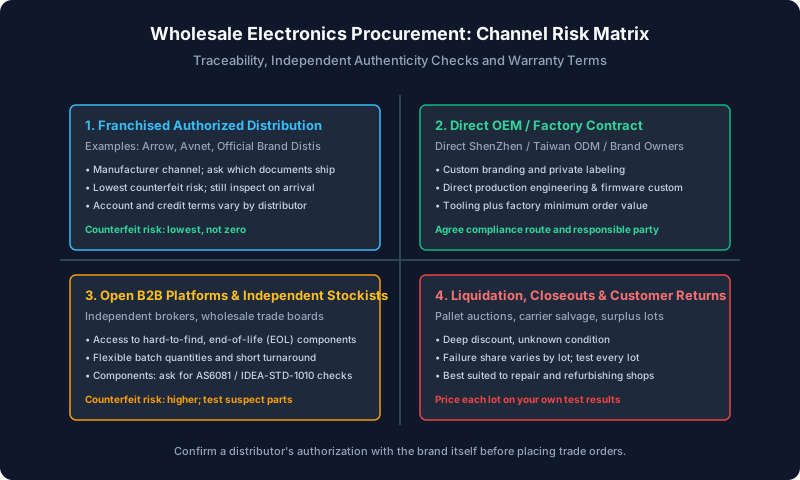
Where to Buy Wholesale Electronics: Authorized Distribution, B2B Platforms and Traceability Verification
Procurement guide to wholesale electronics sourcing: authorized distributors vs brokers, component counterfeit checks, escrow terms, and margin targets.
Read article
First-Order Electronics Buying Checklist
Use an electronics first-order checklist to freeze model details, verify payment changes, inspect the shipment and document shortages or defects.
Read article
Refurbished Electronics: Check the Offer
Decide whether a refurbished electronics offer is worth considering by checking condition, repair records, warranty terms and receipt evidence.
Read article